
Password Reset
If you have forgotten your JOY password, you can reset it by following these instructions.
Step 1
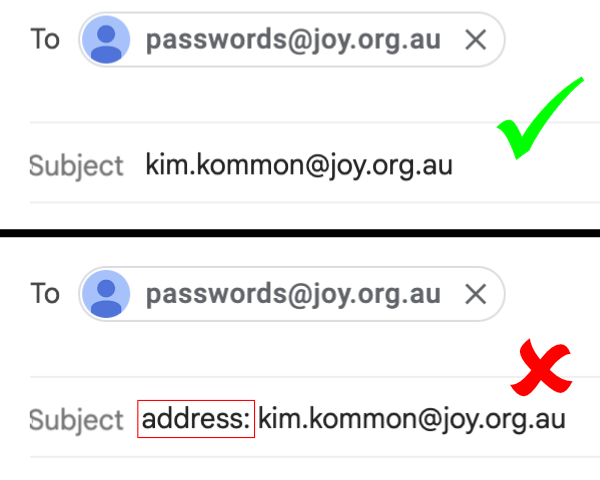
Send an email to passwords@joy.org.au.
In the Subject field, include your JOY ID. Do not put anything else on the subject field.
It doesn't matter what is in the body of the email.
Step 2
Within 10 minutes you will receive an email containing a link to reset your password. This message will be sent to the email address that we have in Salesforce for your JOY membership record.
You have to use the link within one hour of receiving it,
otherwise it will expire and you will need to start over.
Click on the link and you will be taken to the screen where you can change your password.
Step 3
You will then receive another email (to the same address as before) indicating success or failure.